Microsoft Teams Phone - Communications Plus Get All Offers

Want to know about how to get started with Microsoft Teams Phone?

What is Microsoft Team Phone?

More than just Teams

Microsoft Teams Teams Phone turns Microsoft Teams into a full business phone system, allowing users to make and receive calls using the PSTN (standard landline/mobile numbers) from within Teams.

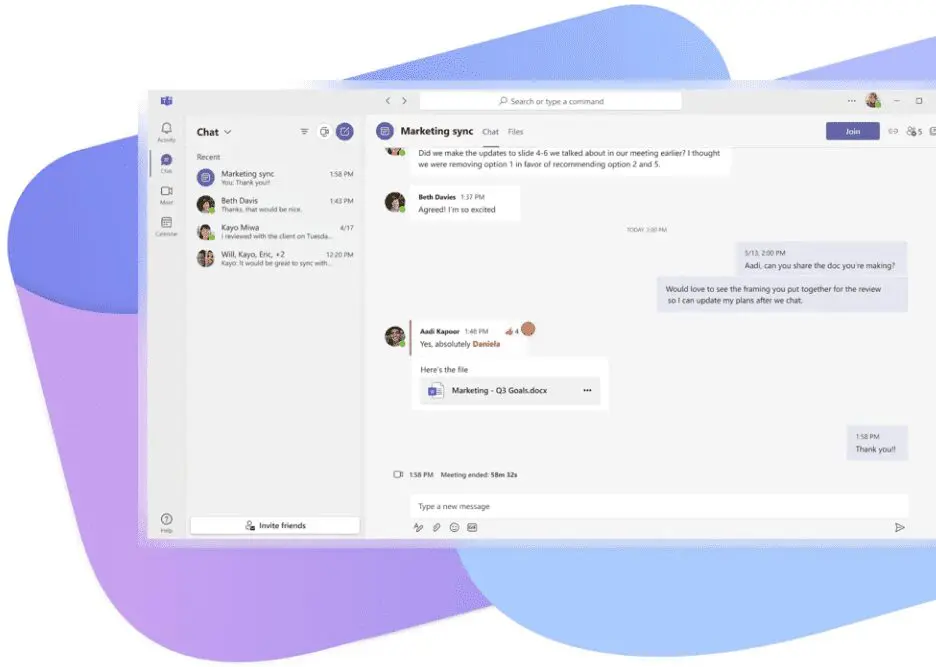
It brings business calling into the same interface your teams already use for chat, meetings and collaboration, so staff can call from their laptop, mobile, desk phone or headset with a consistent experience across devices.

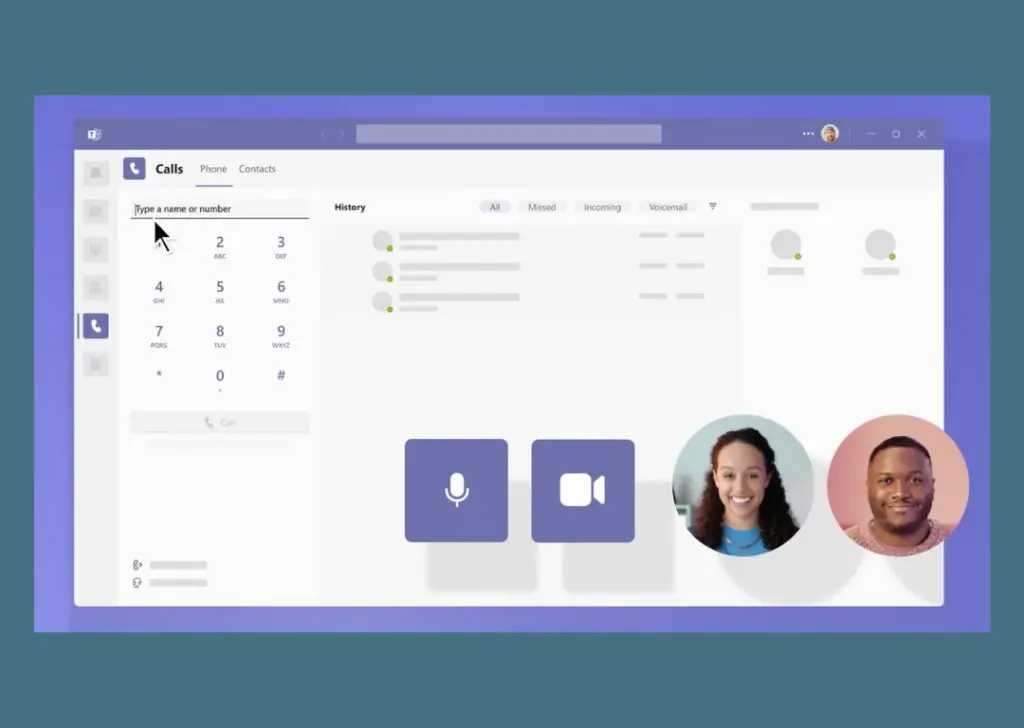
With features like history, speed dial, and voicemail, powered by VoIP and enhanced by Teams Phone for landline/mobile connectivity.

It’s simple to use as part of your Microsoft set up as you can initiate calls from chats or the Calls tab, choosing video or audio, and manage devices and call forwarding in settings for a versatile communication hub.
Microsoft Team Phone

Core calling features for business

Teams Phone includes the core telephony features most organisations need for day-to-day operations, including
circle ticked icon

Ease of Management

Teams Phone is managed centrally through the Microsoft Teams Admin Centre, allowing administrators to control users, numbers, call policies and routing from a single interface. Day-to-day changes such as adding users, assigning numbers or adjusting call flows can be handled quickly, reducing reliance on multiple management portals and simplifying ongoing administration.
Phone Call Icon

Calls & Call Handling

Teams Phone delivers professional business calling directly within Teams. Features include inbound and outbound PSTN calling, call queues, auto attendants, call transfer, voicemail and call forwarding. Users can make and receive calls from desktop, mobile or compatible desk phones, using the same business number wherever they work.
circle with tick icon

Cost Control & Flexibility

Teams Phone allows organisations to choose the PSTN model that best fits their needs — Microsoft Calling Plans, Operator Connect or Direct Routing. This flexibility helps control costs, avoid unnecessary licences and scale calling services in line with business growth, rather than being locked into a single pricing model.
four circles icon

Collaboration in One Platform

Because Teams Phone is built directly into Microsoft Teams, calling sits alongside chat, meetings and file sharing in a single workspace. This reduces tool sprawl and makes it easier for users to move between messaging, meetings and calls without switching platforms or applications.
circles and plus icon

Scalability & Business Growth

Teams Phone scales easily from a handful of users to large, multi-site organisations. New users, locations and numbers can be added as required, making it suitable for growing businesses, remote teams and organisations with changing workforce requirements.
link icon

Integration & Connectivity

Teams Phone integrates tightly with Microsoft 365 and can connect to existing telephony services through Operator Connect or Direct Routing. This allows organisations to retain existing numbers, integrate with other systems where required, and align Teams Phone with their wider communications and connectivity strategy.
Find Your Solution

PSTN options: Calling Plans vs Operator Connect vs Direct Routing

To use Teams as your phone system, you need a way to connect Teams to the public telephone network (PSTN). Microsoft supports three main approaches:

  • Microsoft Calling Plans – Microsoft provides the calling service directly (simplest for some organisations, depending on countries/coverage).
  • Operator Connect – connect Teams to a certified carrier, with numbers typically managed through the Teams Admin Center; often simpler than managing your own SBC.
  • Direct Routing – connect Teams to your chosen carrier via an SBC for maximum flexibility (often preferred where requirements are complex, multi-site, or where you need tighter control).

Want to know more about getting set up?

teams screenshot

Looking for VoIP Telephony?

Contact our team of experts for more information today!
close up of person holding a mobile phone or tablet

Why choose Teams Phone with Communications Plus?

We help you make Teams Phone work properly as a business telephony platform — not just “turn it on and hope”. We’ll advise on the right PSTN approach (Calling Plans, Operator Connect or Direct Routing), manage number porting, design call flows (auto attendants, queues and routing), and ensure your connectivity is suitable for voice quality and resilience.

The result is a Teams-first phone system that feels simple for end users, but is robust, supportable and fit for real-world business use.

Help set your employees free into the new world of work with Microsoft Team Phone from Communications Plus.

teams image

Microsoft Teams Phone FAQs

What is Microsoft Teams Phone?

Teams Phone is Microsoft’s cloud phone system that enables PSTN calling from within Microsoft Teams, so users can make and receive external calls using business numbers.

Do we need extra licensing for Teams Phone?

Usually, yes — Teams Phone is typically licensed as an add-on to an eligible Microsoft 365/Teams plan (licensing varies by plan and region).

What’s the difference between Calling Plans, Operator Connect and Direct Routing?

Calling Plans are provided by Microsoft; Operator Connect links Teams to a certified carrier; Direct Routing connects Teams to your chosen carrier via an SBC for greater control and flexibility.

Can we keep our existing phone numbers?

In most cases, yes — existing numbers can usually be ported into your chosen Teams PSTN setup (we’ll manage the process and minimise downtime).

Does Teams Phone support call queues and auto attendants?

Yes — Teams Phone supports call queues and auto attendants to route callers to departments, groups, or specific users.

St Helens RFC CrestBWFC logoWillowbrook HospiceBWFC Business CLubStanding Tall FoundationAll Blue Excel Partner ShieldO2 Business Customer Excellence Award 2025 RGBcyber essentials plus logo3CX Platinum Partner